
- Email us:
Vocera Wifi Network Requirements Latency: Why Calls Drop
Quick Answer: Solving vocera wifi network requirements latency issues comes down to four numbers: keep latency under 150 milliseconds, jitter under 30 milliseconds, signal strength no weaker than -65dBm, and SNR at 25dB or higher, everywhere a badge is carried. Most dropped-call complaints trace back to one of these thresholds being missed during a handoff between access points, not a single weak spot.
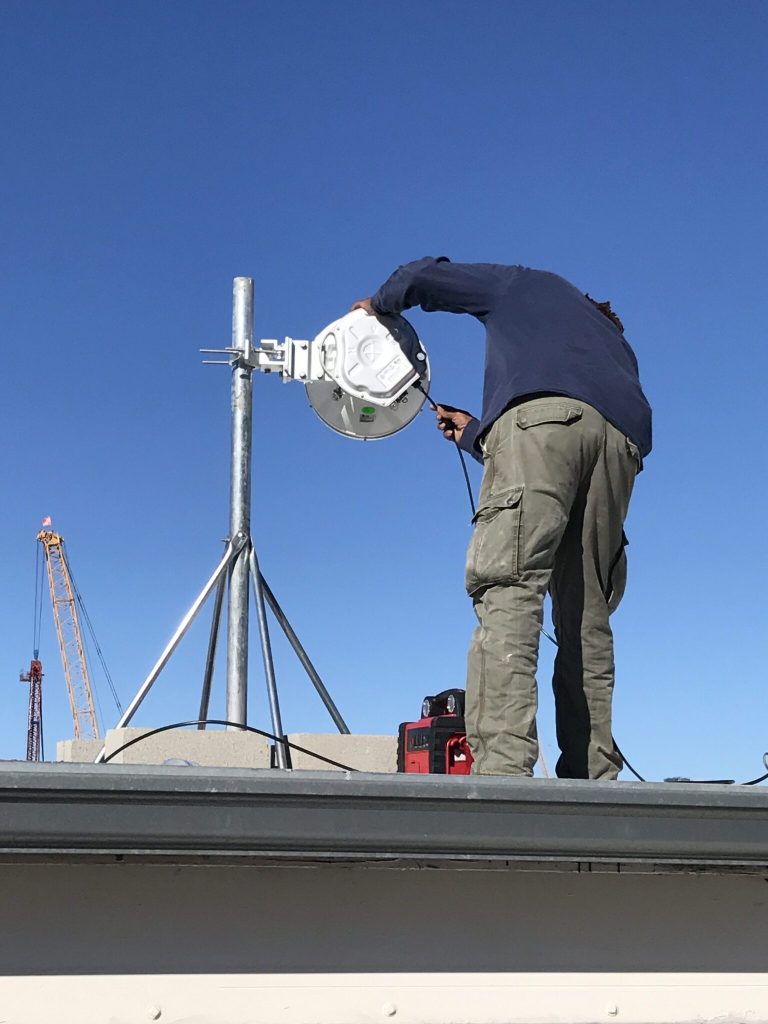
If your team has been chasing dropped calls, garbled audio, or badges that go silent the moment someone walks between rooms, the underlying cause is almost always the same: the network was built for laptops and phones checking email, not for real-time voice moving through the building all day. At Rydatech, we see this pattern across hospitals, aged care facilities, and warehouses running Vocera, and it’s rarely a fault with the badge itself.
The stakes here go beyond a minor annoyance. Vocera is often the system a care team relies on to reach the right person during an emergency. When Royal National Orthopaedic Hospital in the UK replaced pagers with Vocera on a properly designed network, cardiac arrest team mobilisation dropped from an average of two minutes to twenty seconds, as reported by nationalhealthexecutive.com. A network that can’t meet Vocera’s requirements works against that kind of outcome instead of supporting it.
Vocera Wifi Network Requirements Latency: The Numbers That Matter
Vocera traffic behaves differently to normal data traffic. A slow file download is annoying. A slow voice packet is a dropped word, a garbled sentence, or a call that cuts out mid-conversation. That’s why any conversation about vocera wifi network requirements latency always starts with three numbers, drawn directly from Vocera’s own infrastructure specifications:
- Signal strength: -65dBm or stronger, everywhere a badge might be used, including stairwells, storerooms, and back corridors that a standard office survey often skips.
- Signal-to-noise ratio (SNR): 25dB or higher, so the badge can hear the access point clearly above background RF noise.
- Latency and jitter: Latency held under 150 milliseconds, with jitter under 30 milliseconds, to keep audio sounding like a normal conversation rather than a broken one.
Miss any one of these and voice quality degrades, even if the coverage map looks fine on paper.
Why Latency and Jitter Cause Dropped Calls
Latency is the delay between a word being spoken and it arriving at the other end. Jitter is the variation in that delay from one packet to the next. A small amount of both is normal on any wireless network. The problem is that voice doesn’t tolerate variation the way a web page does.
When jitter spikes, even briefly, the badge has to choose between waiting for a late packet or playing the call with a gap in it. Neither option sounds good. This is why a network that “feels fine” for browsing can still produce constant complaints about Vocera call quality. Data traffic and voice traffic have very different tolerances, and most business networks are tuned for the former.
Quality of Service (QoS) settings and WMM prioritisation exist to solve this by giving voice packets priority over general data traffic. Without correct QoS configuration on the access points, Vocera calls compete for airtime with everything else on the network, including guest Wifi and background app traffic.
The Roaming Problem: Why Calls Drop Between Rooms
Coverage and roaming are not the same thing, and this is where most facilities get caught out. A badge can show full signal strength standing still in a hallway and still drop a call the moment its user walks into the next room.
That’s a handoff failure, not a coverage failure. As a badge moves, it needs to hand off from one access point to the next before the signal from the first one degrades below the -65dBm and 25dB SNR thresholds above. For that handoff to be seamless, the network generally needs:
- Overlapping coverage cells, so a badge is never in a dead zone between access points.
- 802.11k support, so the badge knows which nearby access points are available before it needs to roam.
- 802.11r (Fast Transition), so re-authentication doesn’t introduce a delay during the handoff.
- 802.11v support, so the network can guide badges toward a better access point rather than leaving the decision purely to the device.
Networks that weren’t designed with real-time voice in mind rarely have these features tuned correctly, even if the underlying hardware supports them. This is the single most common cause of “the call drops every time someone walks past the nurses’ station” type complaints.
Signs Your Facility Has a Vocera Wifi Problem
You likely don’t need to guess whether this applies to you. The pattern usually looks like one or more of the following:
- Calls that drop consistently in the same physical locations, such as stairwells, loading docks, or specific wards.
- Audio that becomes garbled or delayed when a staff member is moving, but is clear when they’re standing still.
- Badges losing connection near lifts, metal shelving, or plant rooms, where RF interference is highest.
- Call quality that was fine at go-live but has degraded as more devices, guest Wifi users, or IoT equipment were added to the network.
Any of these point to the network falling short of Vocera’s requirements in a specific area or under specific conditions, rather than a fault with the badges themselves.
How This Gets Fixed
Fixing vocera wifi network requirements latency issues properly starts with knowing exactly where the network falls short, not guessing at it. That means:
- Predictive RF modelling to simulate signal strength, interference, and capacity before any changes are made on site.
- An onsite validation survey to confirm real-world signal strength, roaming thresholds, and access point placement match what the model predicted.
- Call simulation testing that mimics real Vocera usage, including staff walking between rooms, to catch handoff failures that a static survey would miss.
This is the process our Vocera Wifi Pre and Post Deployment Services are built around, and it’s the same approach we use for predictive and pre-deployment Wifi surveys more broadly. If you’re weighing up which type of survey your facility actually needs, our guide on the difference between active and passive Wifi surveys explains where each one fits. And if Vocera issues are turning out to be one symptom of a wider network problem, our guide to business Wifi upgrade requirements covers what a broader upgrade should address.
For further technical detail on the standards referenced above, pubs.vocera.com outlines the full set of vendor-specific configuration requirements.
Frequently Asked Questions
What is the minimum Wifi signal strength Vocera badges need?
Vocera badges need a minimum received signal strength of -65dBm with an SNR of at least 25dB throughout the areas they’ll be used, including stairwells and back-of-house spaces that standard surveys sometimes miss.
How much latency can a Vocera network tolerate?
Latency should stay under 150 milliseconds with jitter under 30 milliseconds. Beyond that, voice quality noticeably degrades, and calls become more likely to drop.
Why do our Vocera calls drop specifically when staff are moving?
This is almost always a roaming, or handoff, problem rather than a coverage problem. It happens when access points aren’t configured with overlapping coverage and roaming standards like 802.11k, 802.11r, and 802.11v, so the badge can’t hand off cleanly from one access point to the next.
Can our existing Wifi network support Vocera without changes?
Sometimes, but it’s rarely guaranteed. Networks originally designed for general data traffic often lack the QoS configuration, access point density, or roaming settings that real-time voice needs. A predictive RF model and onsite validation survey will confirm exactly what, if anything, needs to change.
Does adding more access points automatically fix dropped calls?
Not on its own. Poorly placed additional access points can create more roaming decisions for a badge to make, which sometimes makes handoff problems worse rather than better. Placement and configuration matter more than raw access point count.
Why do we get one-way audio on Vocera calls?
This usually points to a transmit power mismatch. Vocera badges transmit at a low power of around 30mW, and if nearby access points are set well above that, the badge can hear the access point clearly but the access point struggles to hear the badge back at the edge of its coverage. Matching access point transmit power closer to the badge’s output, rather than maximising it, generally resolves this.
Reliable Vocera coverage isn’t something you can eyeball from a signal bar on a laptop. If your team is dealing with dropped calls, missed handoffs, or complaints from staff relying on Vocera for real-time communication, Rydatech can run a predictive RF model and onsite validation survey to show you exactly where your network falls short and what it will take to fix it.